The full RefugeBot experience built for your phone. Players get their Hub, Shop, Bazaar, inventory, teleports and live Game View. Admins get the server console they already know—with a one-tap switch between both sides.
Live game linkUseful while you playBig tap targets, instant reference and online-only safety checks for game actions.
01 // Two complete experiences
Built for every survivor—and every operator.
RefugeBot detects which servers you have joined and which ones you manage. Pick a server, land in the right view, and switch sides anytime when your account has admin access.
Player Companion
Everything from the Player Hub and shop, redesigned for a thumb-first Android experience.
Automatic server access: only servers you have joined, with a chooser when there is more than one.
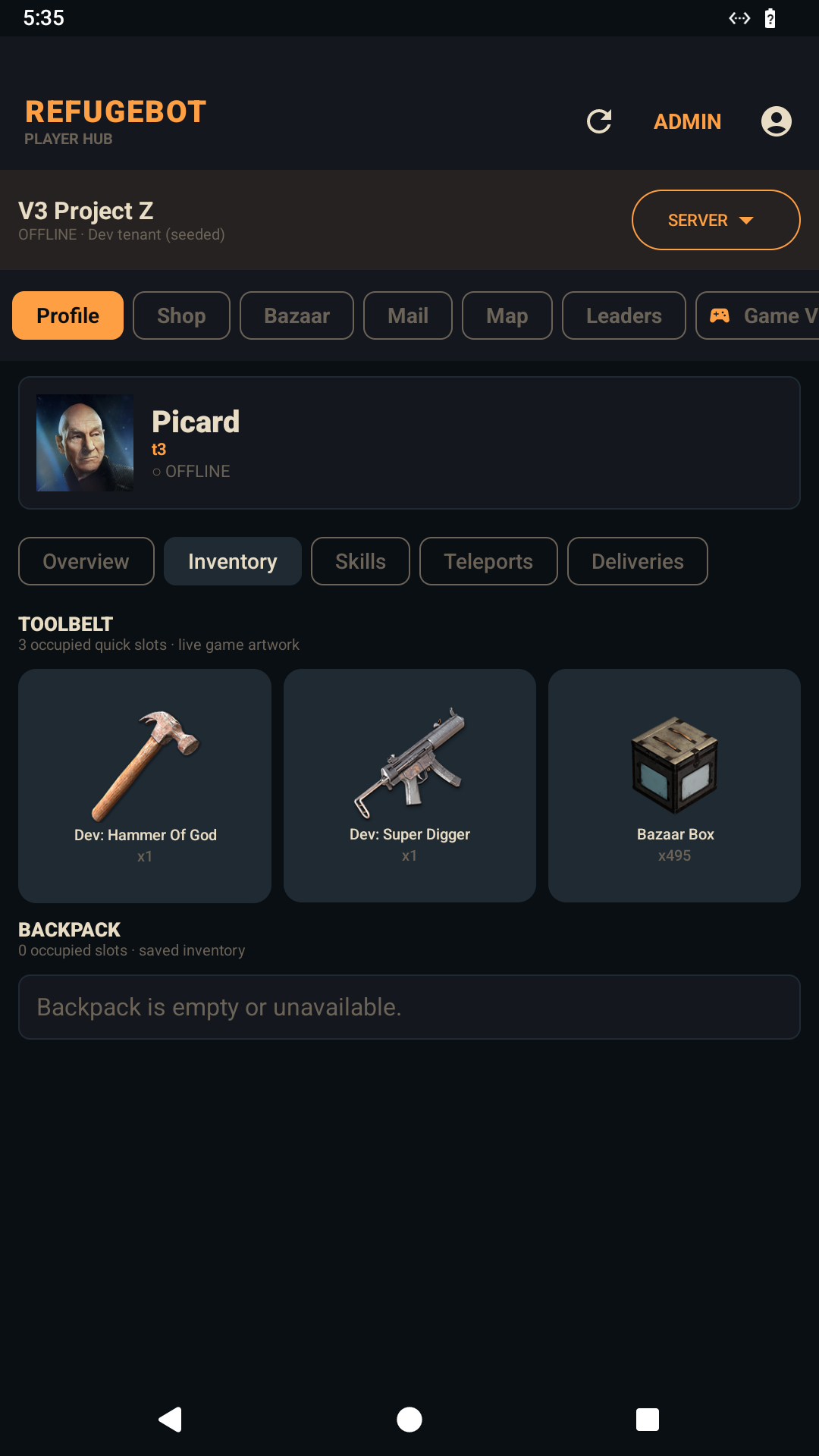
Profile & inventory: live item art, toolbelt, backpack, skills, teleports and delivery history.
Shop & Bazaar: browse, search, buy, manage pending items and receive queued purchases next login.
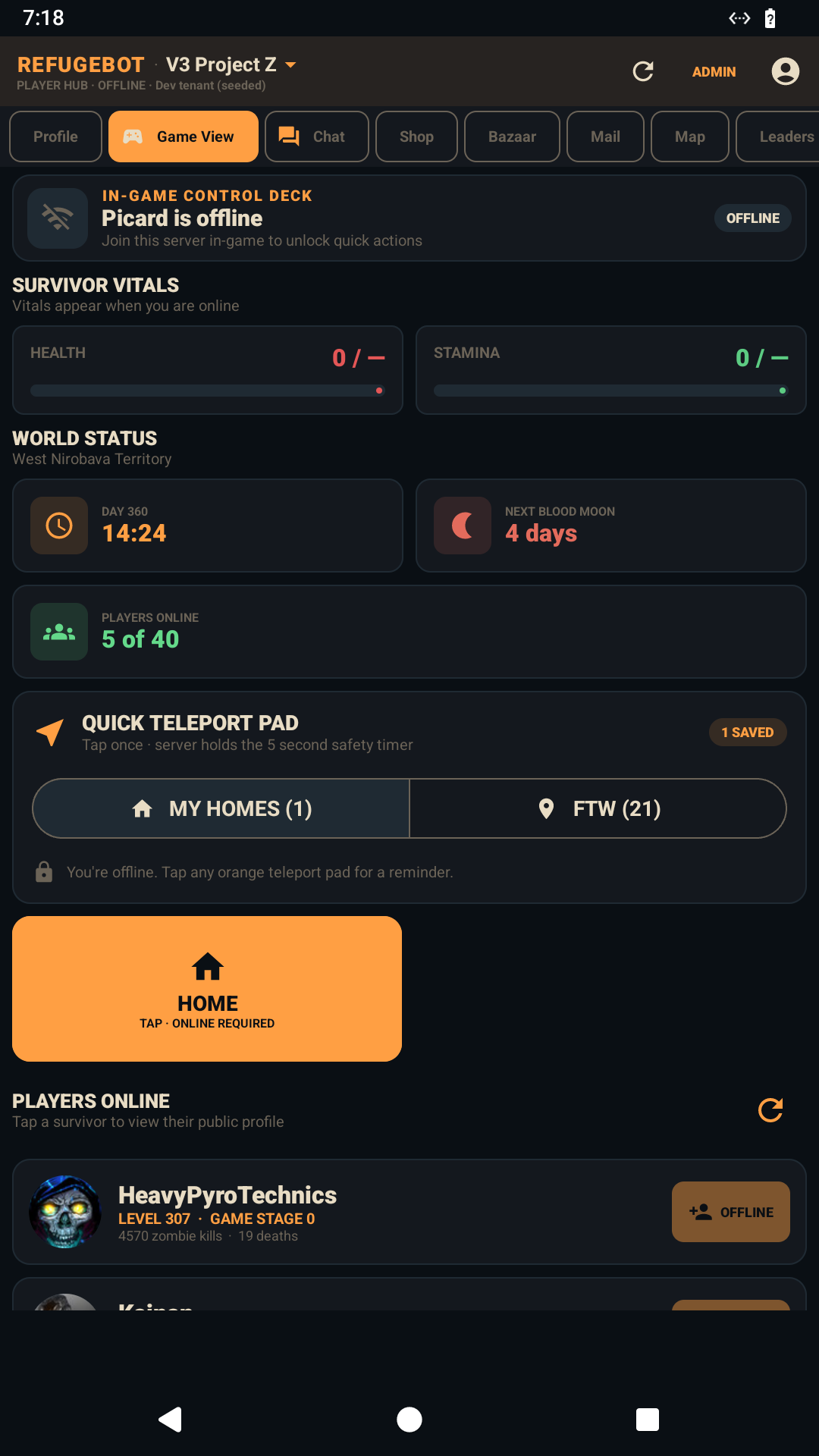
Game View: health, stamina, day, time, blood moon, population and quick teleport controls.
Social: online roster, public profiles, friend requests, mail, leaderboards and server map.
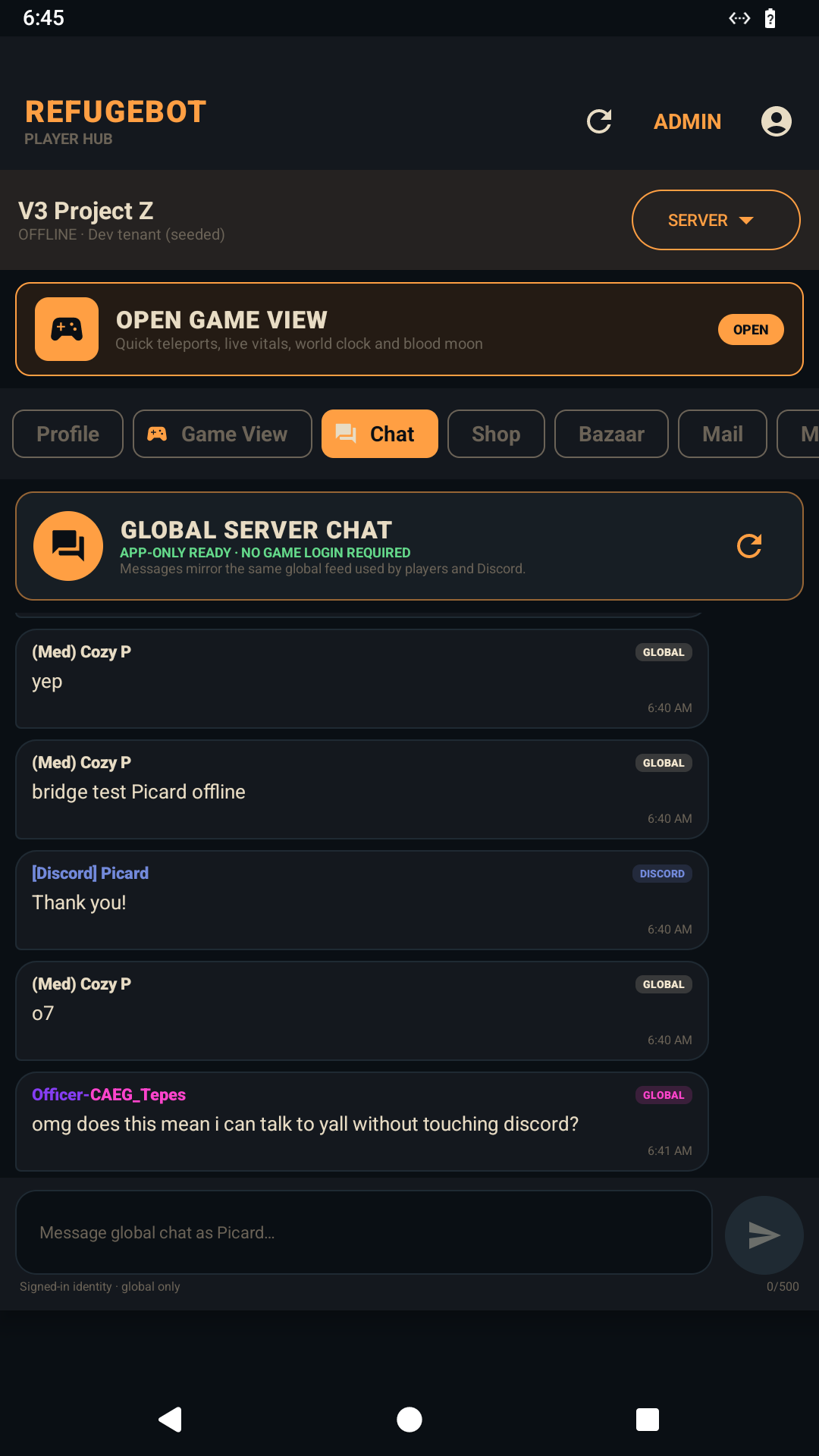
Global chat: talk with the server, game and Discord even when you are not logged into 7DTD.
Admin Companion
Your RefugeBot command center travels with you, including tenant and multi-server management.
Server overview: status, population, activity, economy, pending orders and fast server switching.
Players & moderation: live roster, profiles, bans, whitelist, roles, wallets and audit history.
Commerce: catalog, packs, Bazaar, deliveries, purchase queues and economy administration.
Content: mods, server packs, item catalog, maps and server-specific configuration.
View switch: jump into Player View to use the app like your community and see exactly what they see.
02 // The second-screen advantage
Game View is your quick-control deck.
Leave it beside you while you play. The app turns common commands and live server facts into large, glanceable controls—without pretending an offline player can execute an in-game action.
Live vitalsHealth and stamina at a glance, plus game day, time and the next blood moon.
Teleport padSwitch between saved personal homes and FTW waypoints, with the same safety timer as in game.
Online safetyTeleport, add-home and friend actions verify that you are online before sending the command.
Server awarenessSee current population, tap survivor profiles and send an in-game friend request.
03 // Real app screens
Not a web page squeezed into a phone.
These are real device captures from the current RefugeBot Companion build. Every surface is designed for clear touch targets, readable game data and the dark RefugeBot visual system.
Visual inventoryToolbelt and backpack slots use the server's real item artwork.
Global server chatFast app, game and Discord conversation with in-game identity first.
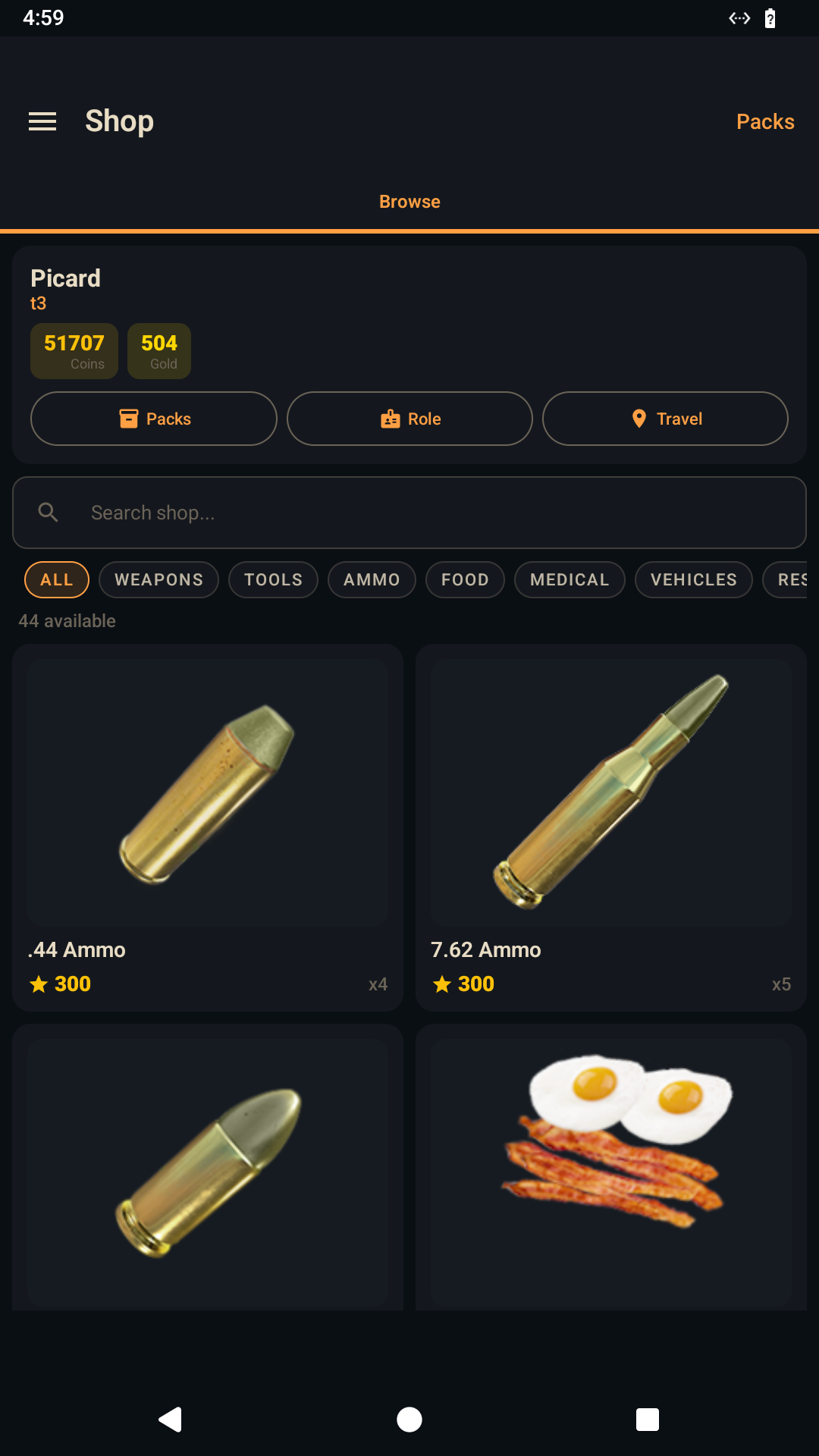
Full player shopBalances, packs, categories, search and queued delivery from one screen.
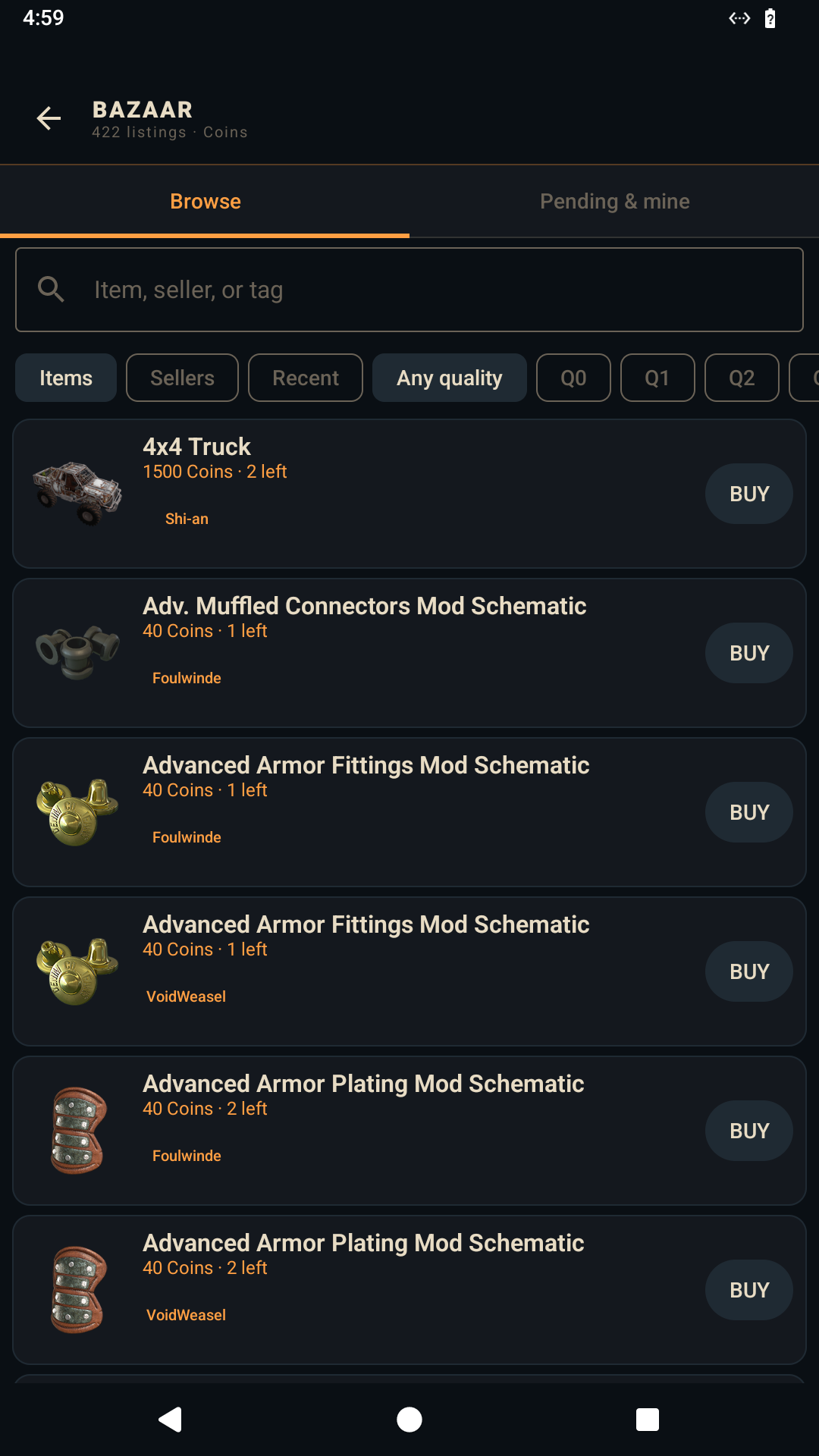
Complete BazaarBrowse listings, buy, and handle pending or owned items.
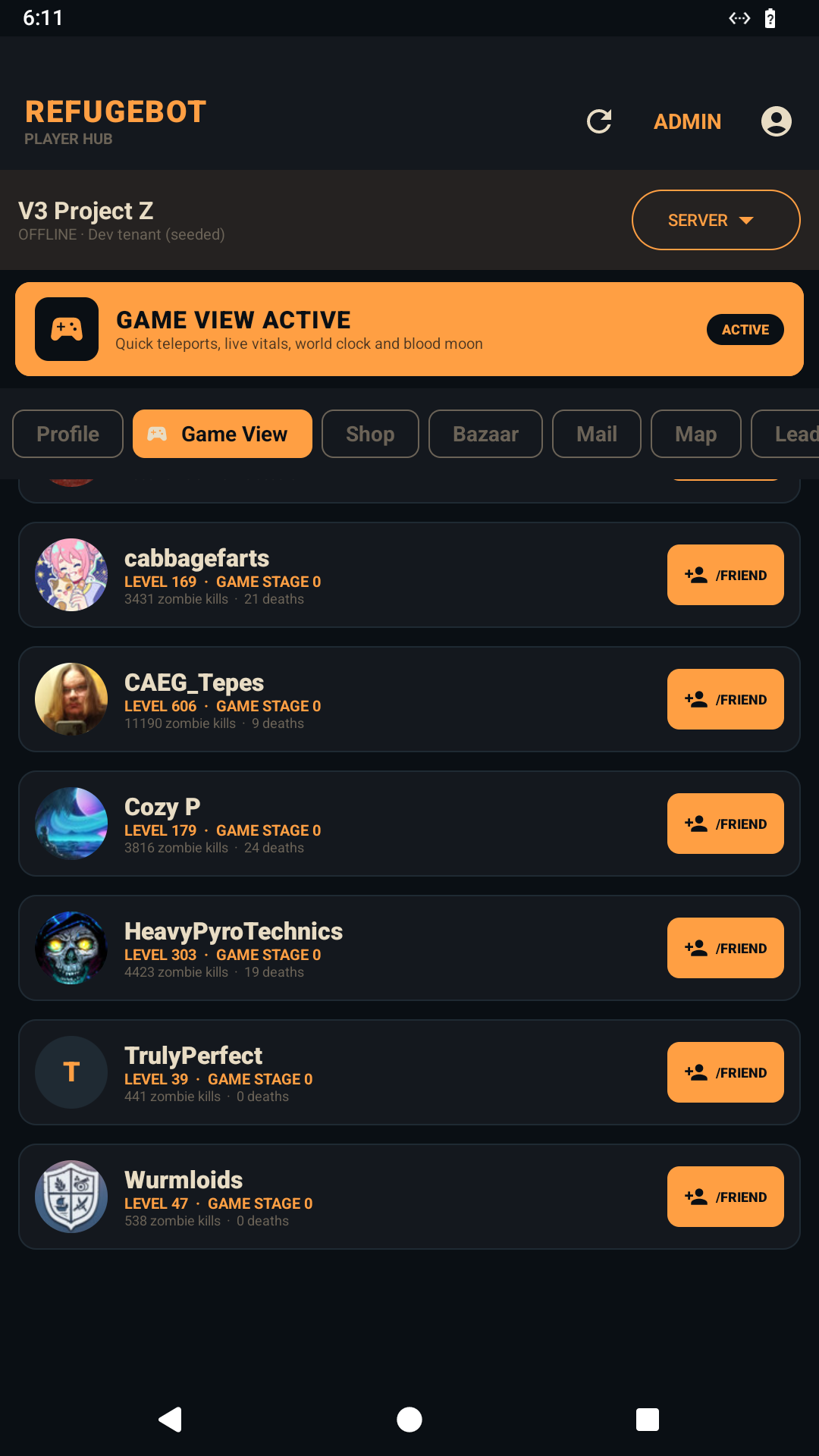
Online rosterLevels, game stage, kills, deaths, public profiles and /friend.
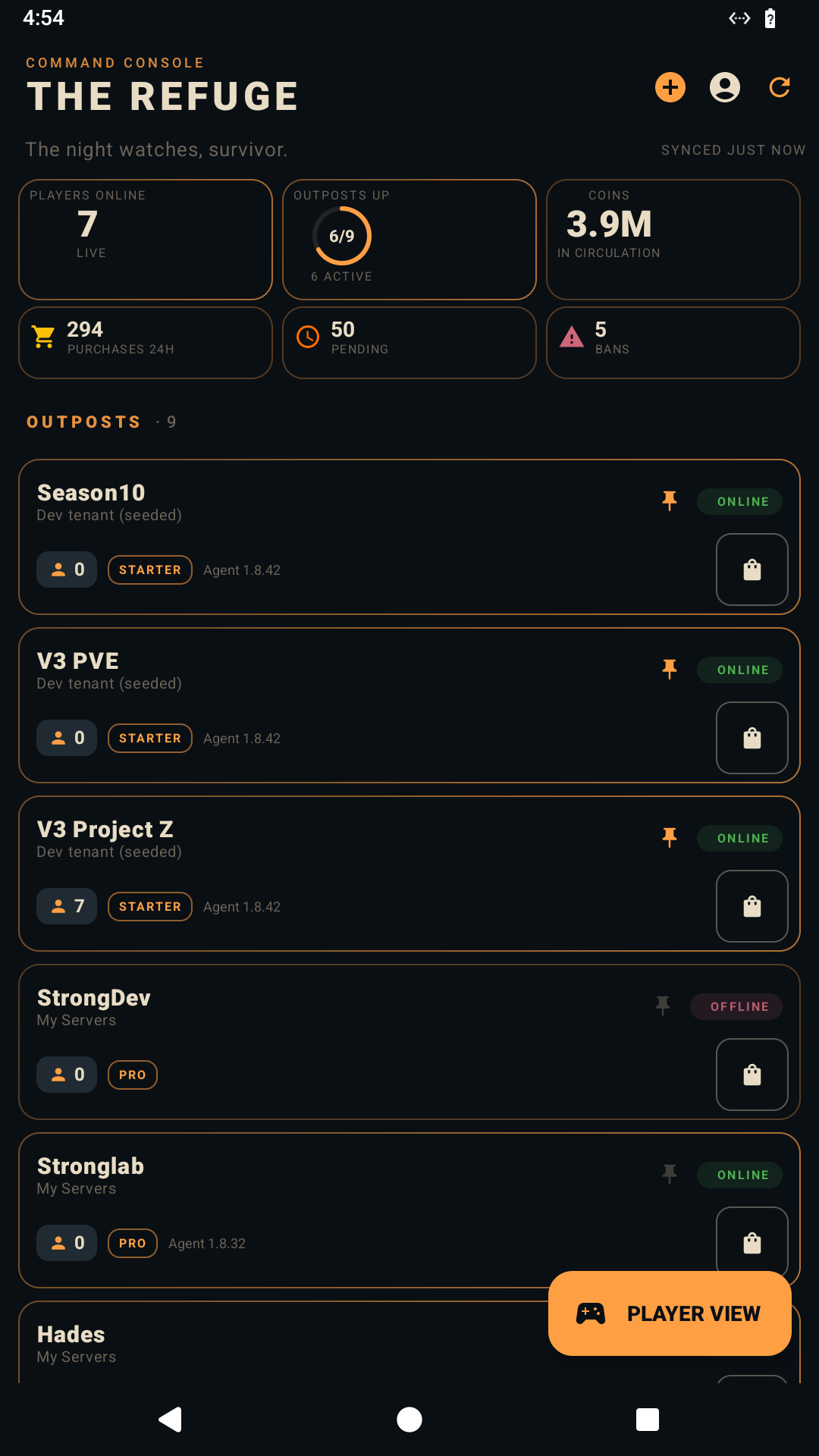
Admin overviewAll managed servers, status and operational signals in one place.
Also inside: profiles, skills, saved teleports, FTW waypoints, deliveries, mail, map, leaderboards, packs, moderation, console, scheduler, settings, tenant tools and more.
04 // Direct Android install
Four steps. No app store.
The Companion is currently distributed directly by RefugeBot. Android may call this “install unknown apps” because the APK did not come from Google Play; you approve RefugeBot once for the browser or Files app that opens it.
Tap Download refuge.apk on this page and accept the browser's download prompt.
Open the download
Open refuge.apk from your download notification or the Downloads folder in Files.
Allow this source
If Android blocks it, tap Settings, enable Allow from this source for that browser or Files app, then return.
Install and sign in
Tap Install, open RefugeBot, and sign in. The app finds your player servers and admin access automatically.
Recommended: after installation, turn “Allow from this source” back off. The wording and menu location vary by Android maker; it is usually under Settings → Apps → Special app access → Install unknown apps.
Take RefugeBot off the second monitor.
Shop from the couch, keep server chat in your pocket, use Game View while you play, or manage the whole operation wherever you are.